





For landlords · England and Wales
Digital home guides for landlords
Show tenants where the stop tap, fuse box and boiler are with your own photos and a QR sticker. Share documents, receive repair reports with photos and see certificate expiry dates across your homes.
stoptap is in a free pilot. Start your free pilot to set up straight away.
Start with the home you know
Walk through the home once with your phone. Photograph each item and write a short location note.
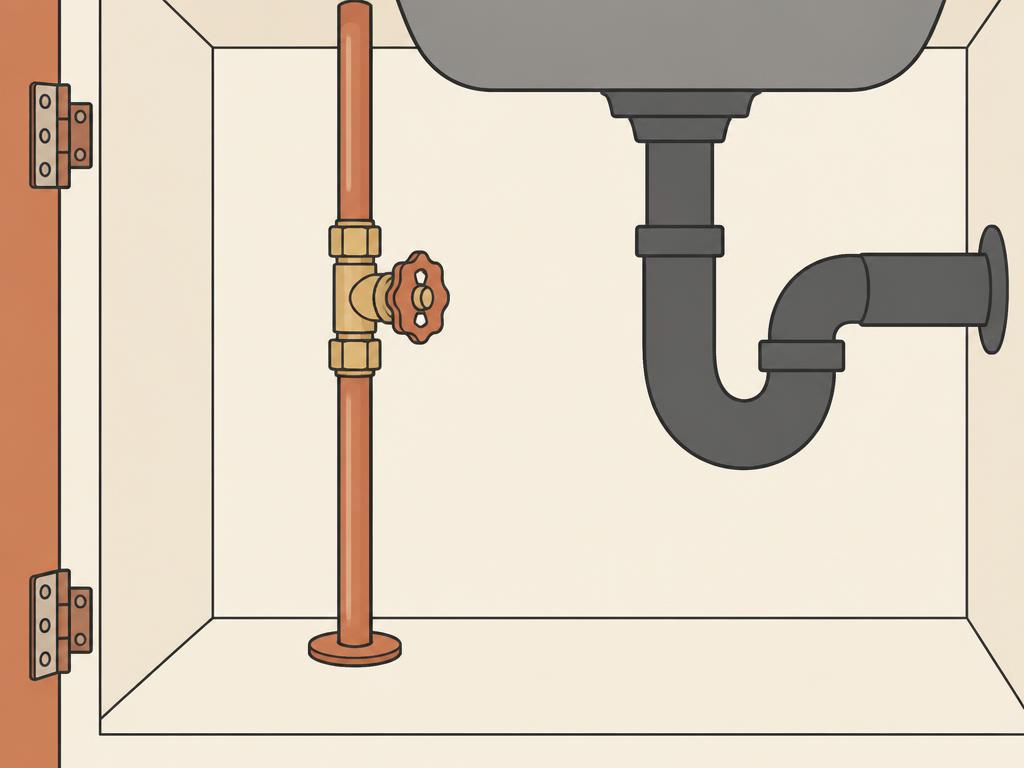
Kitchen. Open the cupboard under the sink. The stop tap is at the back on the left.
A sticker where it's useful
Put the main sticker where people look first. Scanning it opens the guide in the phone's browser — no app, no login. Stickers carry no personal details. Each household gets its own separate link for Wi-Fi, documents and repairs.
Documents and repair photos
Share the gas safety record, electrical report and EPC through the household link and see when they're opened and confirmed received. Tenants can report a repair with photos, and you reply and book it in one thread.
Certificate expiry dates across your homes
See gas safety, electrical report and EPC dates for every home in one place, with expired and due-soon certificates first.
Getting access during the pilot
stoptap is in a pilot. Start your free pilot to set up straight away, or book a demo to see how it works.
Questions
- Can I see certificate expiry dates across my homes?
- Yes. Landlords can see certificate expiry dates across their homes in stoptap.
- Can tenants add photos to a repair report?
- Yes. Tenants can report a repair with photos through their household link.
- Can I start straight away?
- Yes. Start your free pilot to create your account and set up your homes now. You can also book a demo.
Show tenants where things are.
Photos, a QR sticker and a household link for each of your homes.
stoptap is in a free pilot. Start your free pilot to set up straight away.